Finding your license or USDOT page
Your page is built from the public record: your state's license file, or the federal FMCSA register for movers and bus companies. It exists whether or not you join.
From the network's homepage
- Go to swiftagentnetwork.com.
- Under I am a, choose your line of work. Real estate agents also choose a State.
- Type Your name or license number (a company name or USDOT number for movers and bus companies).
- Press Find my page.
Straight from the checks
| Line of work | Where | Type, then press |
|---|---|---|
| Real estate | swiftagentsites.com/agent-check | Your name, license number or town, then Check the license |
| Insurance (Texas) | swiftagentsites.com/insurance-agent-check | Your name or license number, then Check the license |
| Movers | swiftagentsites.com/mover-check | Your company name or DOT number, then Check them |
| Bus and limo | swiftagentsites.com/bus-check | Your company name or DOT number, then Check them |
| Electricians, A/C and plumbers (Texas, Colorado) | swiftagentsites.com/contractor-check | Your name, business name or license number, then Check the license |
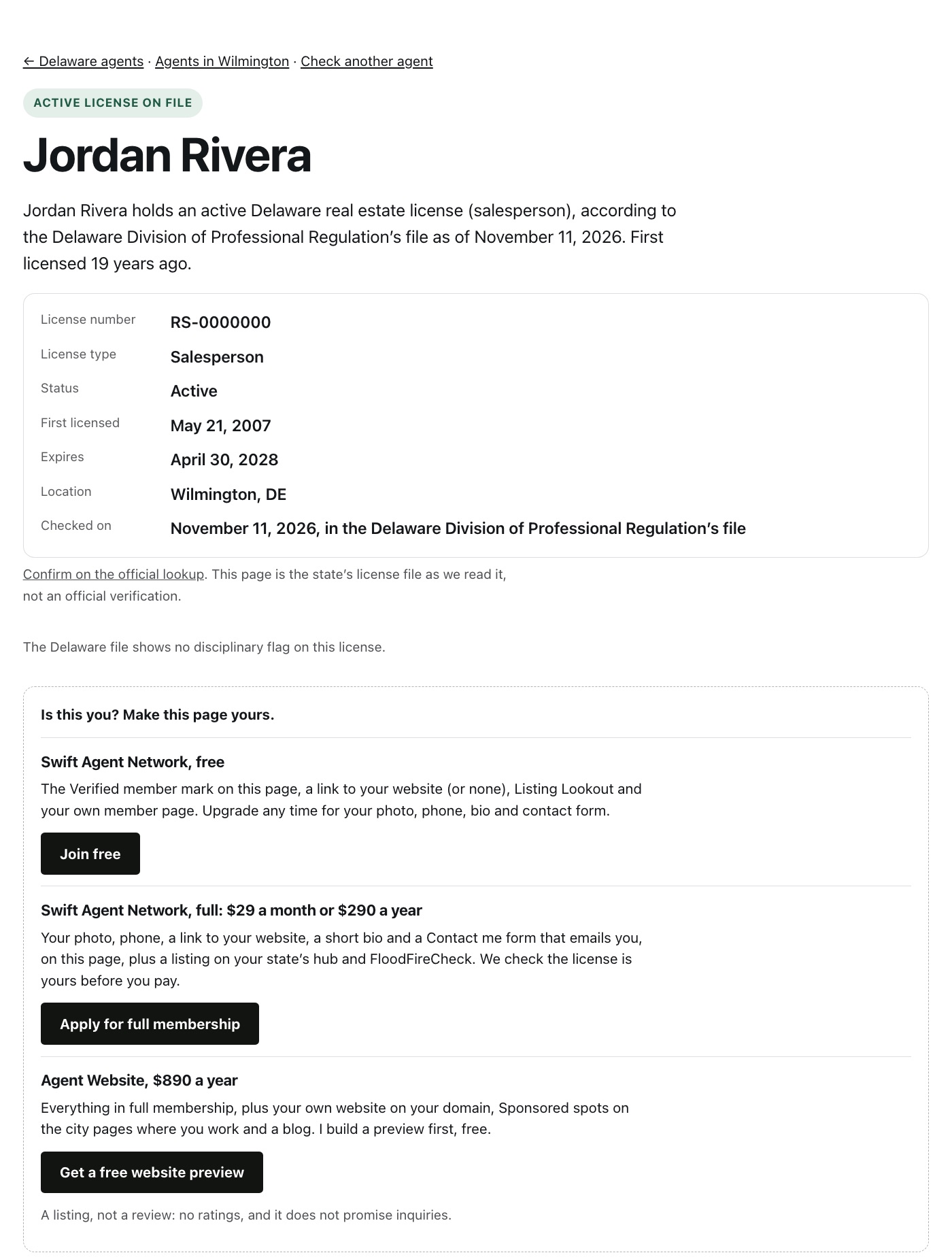
What you'll see: your page, with the public facts at the top and a box under them: "Is this you? Make this page yours." on a license page, or "Run this company? Join the Swift Agent Network." on a mover or bus page. Its Join free and Apply for full membership buttons open the join form already filled in from that page.
If you can't find it
- Try your license number instead of your name. The file may spell your name the way your license does.
- Real estate license pages cover nine states, and insurance pages cover Texas. If yours is not one of them, join anyway: your member page is your link until your state is added.
- Contractor license pages cover electricians, A/C contractors and technicians, and plumbers in Texas and Colorado. A contractor anywhere else can choose Contractors and trades on the join form to go on the waitlist.
Updated November 11, 2026. Still stuck? Email hello@swiftagentnetwork.com.